
Most sites don’t lose leads because they rank too slowly.
They lose leads because they don’t measure where visitors come from and how they convert into leads.
But if you install call tracking from day one, even early trickles of traffic can reveal what’s already working.
You’ll start seeing which pages spark calls, which CTAs result in form fills, and which layouts quietly convert the best.
What I want to cover in this post is why this is such an important thing to do and how you can get call tracking set up in just a few minutes.
Why “Day One” Tracking Beats “Later”
The major benefit of adding call tracking to a new website from day one is that your earliest visitors turn into actionable data from the first click.
This is what you gain from that data:
- Capture first calls and forms per page
- Spot winning layouts and CTAs fast
- Optimize conversions while rankings grow
- Reduce blind spots before they cause low conversions
Basically, those very early visitors that probably arrive through long tail keywords quickly add up to enough information to identify pages that are doing well.
Spotting those pages that trigger more calls and form submissions allows you to then use the same layout, CTAs, and form placements on other pages.
And that pays off in the weeks and months ahead.
What You Get When Tracking Is Live From The Start
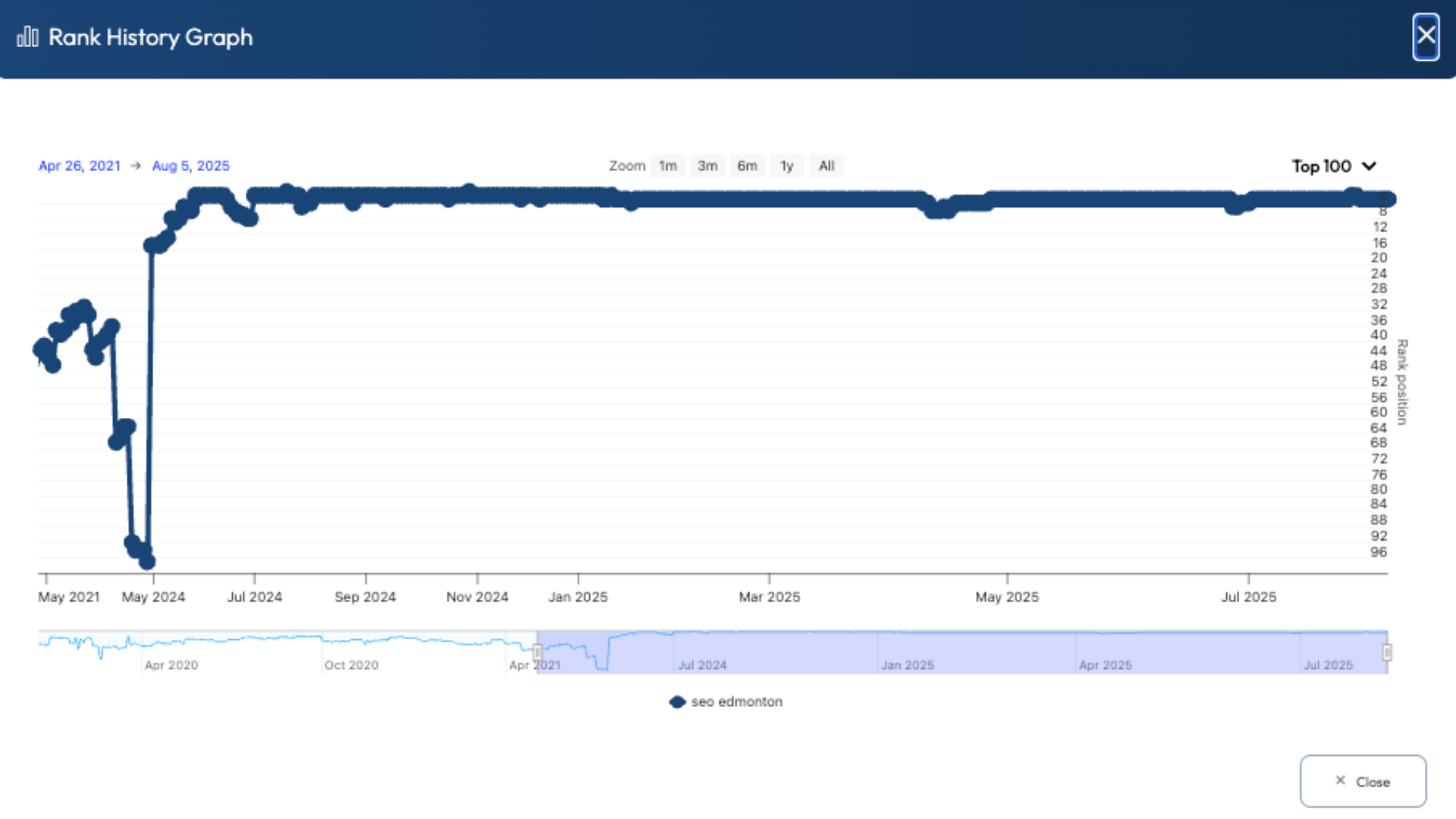
The day will come when you see that ranking boner and traffic suddenly starts to spike.
More visitors to your site turn into more calls and form submissions, but now you’re already one step ahead.
You’ve already had the chance to tweak and split-test your CTAs, and you’re taking advantage of every visitor having a higher chance of converting.
That means more leads for clients or a rank & rent site, which all lead to more revenue at an early stage.
The Biggest Misconception: “No Traffic Yet, So No Need”
If you dig through my social media posts far enough back, you might even find me saying something like that years ago.
But there are a few ways to look at this.
First of all, you have no idea when traffic will suddenly increase, and then you have to go through weeks of monitoring and testing different CTAs and layouts.
The result is a lost opportunity to take advantage of that early traffic.
Secondly, you can set up some paid ad campaigns to drive some early traffic to the site for conversion testing. It gives you a lot more control over the specific keyword traffic, making your tests a lot more relevant.
And the last thing I would mention is that call tracking has become insanely cheap.
A new Twilio number will cost about a dollar per month, and my call intelligence platform RingRobin, is free to use.
More on that shortly.
What To Start Tracking Immediately
The temptation is to only track the number of calls and form submissions you receive. Yes, that’s ultimately what it all comes down to, but you need more information for optimization.
Ultimately, the more data you track, the better your decision-making process is.
You want full call and form attribution, showing you exactly how someone got to your site; that means information about sources like social media and Google SERPs, or even paid advertising.
You also need information about what pages they landed on, how long they were on the site, and which page they may have used a click-to-call button on.
Having a full picture of your visitors’ journey to your site and how they became leads gives you powerful information for conversion optimization.
Once you know exactly what pages are working best, you can replicate the designs, CTAs, and contact form placements on other pages.
By doing this early in the life of a lead gen website, you can make sure that you don’t miss out on any leads.
And that means you can sell those leads at a much earlier stage.
Now, let’s turn to a solution I have that won’t cost you a dime.
A Simple Way To Connect Tracking Insights
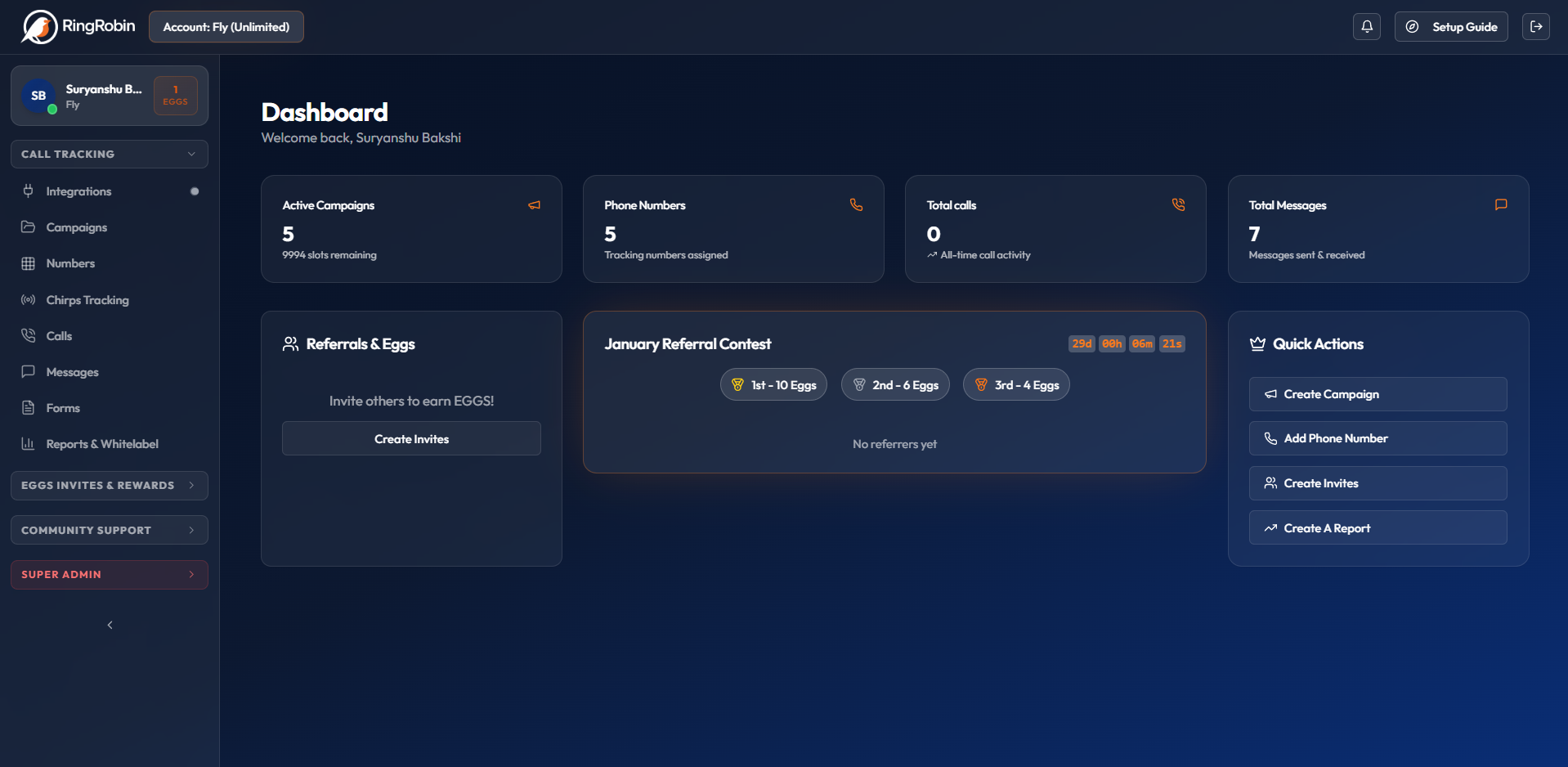
There is no shortage of call tracking solutions, but I have always had a few issues with them.
First of all, to get full enterprise-level tracking capabilities always ends up costing a lot of money on a monthly basis. And that cost always made it less appealing to add call tracking early, before a site is fully ranking.
Secondly, none of the call tracking solutions offer full call attribution, where you get a detailed picture of the traffic sources, user sessions, and call clicks on individual pages.
The only way you can get that level of information is by piecing together call tracking, Google Analytics, and WP form builder data.
Yeah, I used to do that, and it simply wasn’t worth the hassle for brand-new websites.
Or at least it wasn’t until I built a completely new enterprise call tracking system and decided to give it away for free.
I know it sounds crazy, but RingRobin gives you everything that other call tracking solutions provide, plus traffic monitoring and call attribution, and you won’t have to spend a dime.
RingRobin works on a referral basis, where you get one campaign as soon as you register, and then you unlock further campaigns, numbers, and domain tracking by referring other users.
You won’t believe how easy it is to get friends or people on Facebook groups to sign up for a free call tracking software.
Once you activate your account, you’re ready to start call tracking in just a few minutes; it’s that easy to set up.
Start Setting Up Call Tracking With RingRobin
If you want a lead gen site to earn sooner, you can’t afford to “wait for traffic” before you start measuring conversions. Day-one call tracking turns even small trickles of early visitors into real data you can act on.
The best part is that getting started doesn’t have to cost anything.
RingRobin gives you enterprise-level call tracking plus deeper attribution and traffic insights, without the monthly price tag that usually makes early tracking feel like a “later” problem.
Set up your free RingRobin account now, launch your first campaign, and start collecting conversion data from the very first visitor.
Basically, your site grows and converts at the same time.