
Most sites don’t lose leads because they rank too slowly.
They lose leads because they don’t measure where visitors come from and how they convert into leads.
But if you install call tracking from day one, even early trickles of traffic can reveal what’s already working.
You’ll start seeing which pages spark calls, which CTAs result in form fills, and which layouts quietly convert the best.
What I want to cover in this post is why this is such an important thing to do and how you can get call tracking set up in just a few minutes.
What Exactly Is Call Tracking?
Call tracking connects the phone calls you receive back to how each caller found and moved through your site.
Instead of a call just ringing in with no context, you can see the path that led to it, the traffic source, the pages visited, and the button or link that triggered the call.
So when a call comes in, you know whether that lead came from Google organic search, a paid ad, a social post, or a specific landing page.
Some setups assign unique numbers to different sources, but a good system can track the entire journey through a single number, following a visitor from the moment they land on your site to the moment they tap the call button.
The clever part is that this happens invisibly to the caller. They see a normal phone number and dial it as usual, while behind the scenes the call is logged, attributed, and tied back to their session.
For a lead gen or local business site, this is the difference between guessing what’s working and knowing it.
How Call Tracking Actually Works
The whole system hinges on connecting two things: a visitor’s browsing session and the phone call they eventually make.
When someone lands on your site, the tracking system records their session, where they came from, which pages they viewed, and how long they spent on each one.
A small piece of code on your site watches for the moment that visitor interacts with your phone number, whether they tap a click-to-call button on mobile or copy the number on desktop.
At that point, the call is tied directly to everything already known about the session.
So the call doesn’t arrive as an anonymous ring. It arrives with a full story attached: this caller came from a Google search for your main keyword, read two of your service pages, then tapped to call from your contact page.
The caller experiences none of this. They tap, the phone rings on your end as normal, and the conversation happens exactly as it always would.
Behind the scenes, that call is logged against the session, so you can later see precisely which sources, pages, and calls-to-action are actually generating leads.
This is what separates real call tracking from simply counting how many calls you get. Counting tells you the what. Attribution tells you the why, and the why is what lets you improve.
Why “Day One” Tracking Beats “Later”
The major benefit of adding call tracking to a new website from day one is that your earliest visitors turn into actionable data from the first click.
This is what you gain from that data:
- Capture first calls and forms per page
- Spot winning layouts and CTAs fast
- Optimize conversions while rankings grow
- Reduce blind spots before they cause low conversions
Basically, those very early visitors that probably arrive through long tail keywords quickly add up to enough information to identify pages that are doing well.
Spotting those pages that trigger more calls and form submissions allows you to then use the same layout, CTAs, and form placements on other pages.
And that pays off in the weeks and months ahead.
What You Get When Tracking Is Live From The Start
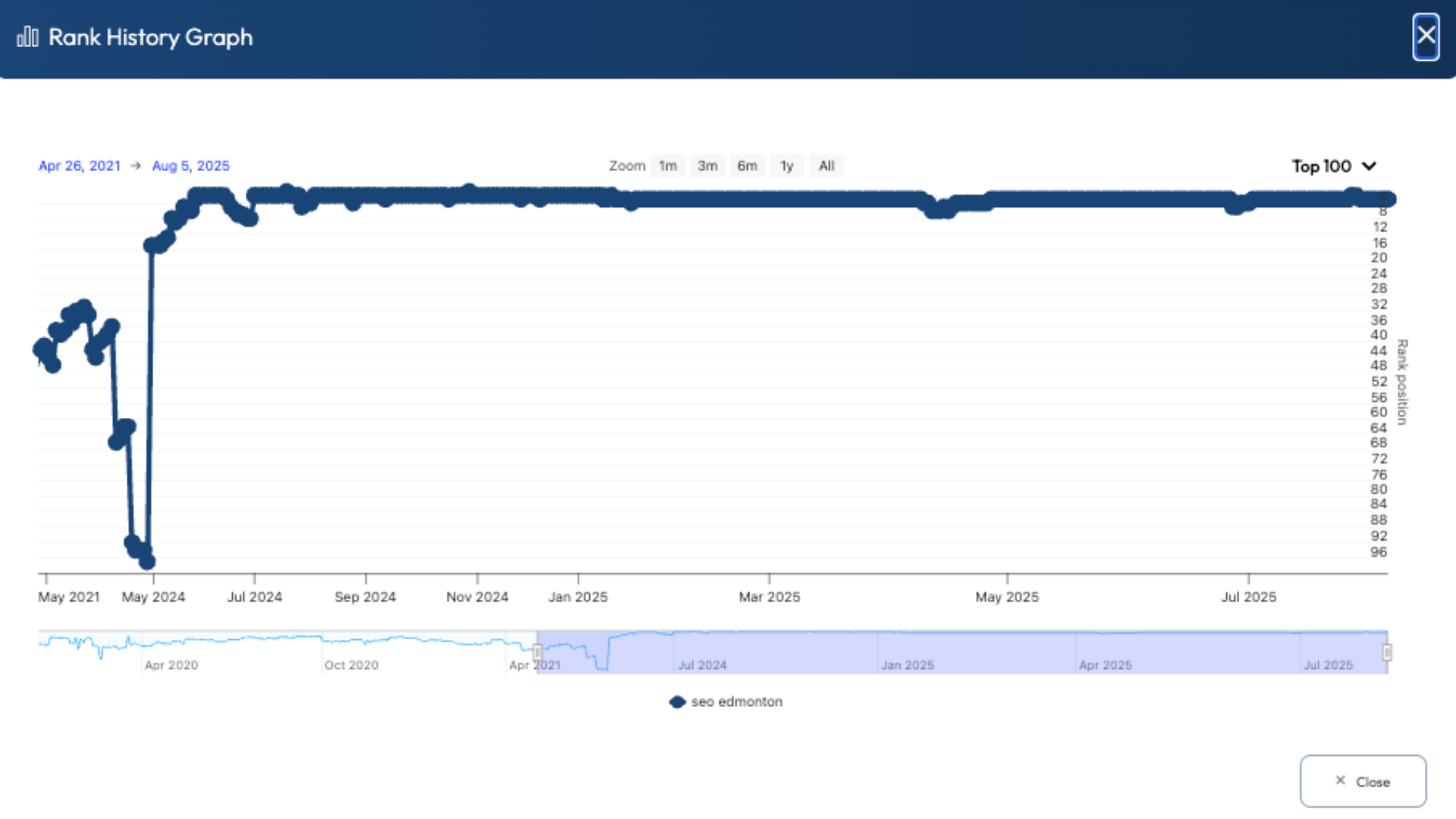
The day will come when you see that ranking boner and traffic suddenly starts to spike.
More visitors to your site turn into more calls and form submissions, but now you’re already one step ahead.
You’ve already had the chance to tweak and split-test your CTAs, and you’re taking advantage of every visitor having a higher chance of converting.
That means more leads for clients or a rank & rent site, which all lead to more revenue at an early stage.
The Biggest Misconception: “No Traffic Yet, So No Need”
If you dig through my social media posts far enough back, you might even find me saying something like that years ago.
But there are a few ways to look at this.
First of all, you have no idea when traffic will suddenly increase, and then you have to go through weeks of monitoring and testing different CTAs and layouts.
The result is a lost opportunity to take advantage of that early traffic.
Secondly, you can set up some paid ad campaigns to drive some early traffic to the site for conversion testing. It gives you a lot more control over the specific keyword traffic, making your tests a lot more relevant.
And the last thing I would mention is that call tracking has become insanely cheap.
A new Twilio number will cost about a dollar per month, and my call intelligence platform RingRobin, is free to use.
More on that shortly.
What To Start Tracking Immediately
The temptation is to only track the number of calls and form submissions you receive. Yes, that’s ultimately what it all comes down to, but you need more information for optimization.
The more data you track, the better every decision you make becomes.
Here’s what’s worth tracking from the very first visitor:
- Traffic source. Knowing whether a call came from organic search, paid ads, or social tells you which channels are actually producing leads, not just clicks.
- Landing page. The page a visitor arrived on shows you which of your pages are pulling people in, and which are doing the heavy lifting at the top of the journey.
- Pages viewed before calling. The path a caller took reveals what content builds enough trust to make someone pick up the phone.
- Session length. How long someone spends before calling helps you separate high-intent visitors from quick bounces, and shows which pages hold attention.
- The call trigger. Knowing which button, link, or click-to-call they used tells you exactly which CTAs and placements convert best.
- Call recordings. Listening back tells you whether the calls are quality leads or wrong numbers, which is the real measure of whether a page is working.
- Missed calls. Every unanswered call is a lead you paid to generate and then lost, so tracking these is often where the fastest revenue gains hide.
Once you know exactly which pages and sources are working best, you can replicate the designs, CTAs, and contact form placements across the rest of your site.
By doing this early in the life of a lead gen website, you make sure you don’t miss out on any leads, which means you can sell those leads at a much earlier stage.
Call Tracking Metrics That Actually Matter
Tracking the data is one thing. Knowing which numbers to act on is another.
A handful of metrics tell you almost everything about whether your site is converting:
- Calls by source. Shows which channels deliver real leads, so you know where to put your effort.
- Conversion rate by page. The percentage of visitors who call reveals your best-performing pages and the ones that need work.
- Cost per call. For any paid traffic, this tells you whether a campaign is actually worth running.
- Missed-call rate. Every missed call is a lost lead, and this is often the quickest number to improve for an immediate revenue gain.
Track these four consistently and you’ll always know what’s working, what’s wasting money, and where the next easy win is hiding.
Common Call Tracking Mistakes
Even with the right metrics in front of you, a few common mistakes can quietly undermine your results.
Only counting calls. Raw call totals tell you nothing about where leads come from or why they convert. Without attribution, you’re flying blind.
Ignoring form fills. Plenty of leads never pick up the phone. Tracking calls but not form submissions leaves half your conversion picture missing.
Letting missed calls slip. An unanswered call rarely calls back. Failing to track and follow up on missed calls is one of the most expensive habits in lead gen.
Inconsistent business numbers. For local sites, your displayed phone number needs to stay consistent with your Google Business Profile and citations, or you risk muddying the NAP signals that local rankings depend on.
Stitching together too many tools. Piecing call data together from a separate tracking tool, analytics, and your form builder is slow, fragile, and usually leaves gaps in the journey.
That last one is the mistake I kept running into for years, and it’s exactly the problem I set out to solve.
A Simple Way To Connect Tracking Insights
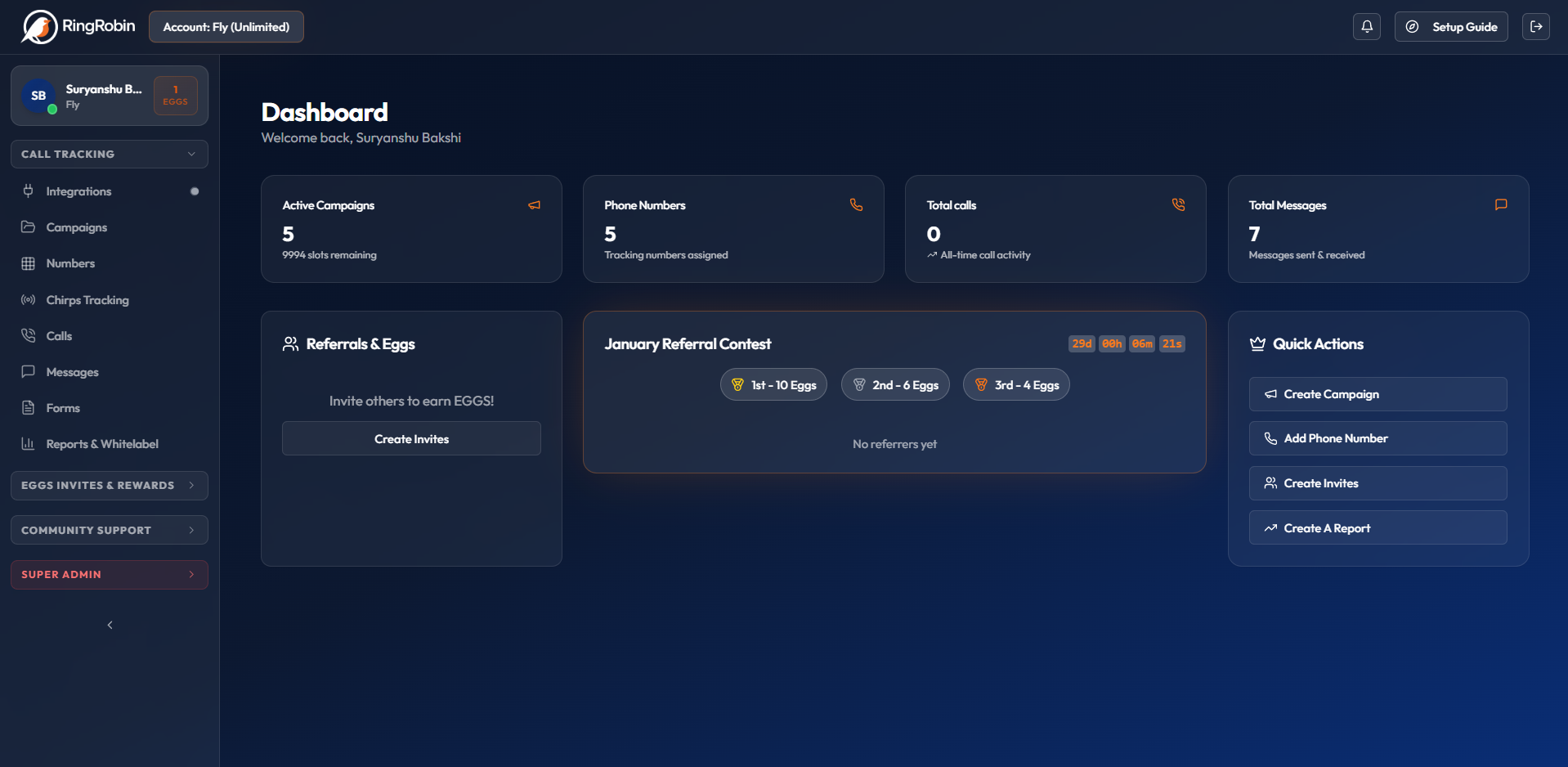
There is no shortage of call tracking solutions, but I have always had a few issues with them.
First of all, to get full enterprise-level tracking capabilities always ends up costing a lot of money on a monthly basis. And that cost always made it less appealing to add call tracking early, before a site is fully ranking.
Secondly, none of the call tracking solutions offer full call attribution, where you get a detailed picture of the traffic sources, user sessions, and call clicks on individual pages.
The only way you can get that level of information is by piecing together call tracking, Google Analytics, and WP form builder data.
Yeah, I used to do that, and it simply wasn’t worth the hassle for brand-new websites.
Or at least it wasn’t until I built a completely new enterprise call tracking system and decided to give it away for free.
I know it sounds crazy, but RingRobin gives you everything that other call tracking solutions provide, plus traffic monitoring and call attribution, and you won’t have to spend a dime.
RingRobin works on a referral basis, where you get one campaign as soon as you register, and then you unlock further campaigns, numbers, and domain tracking by referring other users.
You won’t believe how easy it is to get friends or people on Facebook groups to sign up for a free call tracking software.
Once you activate your account, you’re ready to start call tracking in just a few minutes; it’s that easy to set up.
Start Setting Up Call Tracking With RingRobin
If you want a lead gen site to earn sooner, you can’t afford to “wait for traffic” before you start measuring conversions. Day-one call tracking turns even small trickles of early visitors into real data you can act on.
The best part is that getting started doesn’t have to cost anything.
RingRobin gives you enterprise-level call tracking plus deeper attribution and traffic insights, without the monthly price tag that usually makes early tracking feel like a “later” problem.
Set up your free RingRobin account now, launch your first campaign, and start collecting conversion data from the very first visitor.
Basically, your site grows and converts at the same time.