
Meta tags are one of the easiest on-page SEO elements to overlook, but they can have a direct impact on how search engines understand your pages and how many people click your result.
Your SEO title, H1, meta description, image alt attributes, schema, and robots tags all send different signals. Get them right, and your pages become clearer, more clickable, and easier for search engines to evaluate.
The problem is that meta tag optimization gets repetitive fast, especially when you are managing dozens or hundreds of pages.
In this guide, I’ll walk you through the most important meta tags for SEO, what each one does, and how to optimize them properly before showing how Xagio can speed up the process.
What are Meta Tags For SEO?
Meta tags are pieces of HTML code that give search engines and web browsers information about a page.
Some meta tags are visible to visitors, like the H1 heading at the top of a page. Others sit in the HTML and help control how your page appears in search results, how search engines crawl it, or how clearly they understand the content.
For SEO, the most important meta tags and related on-page elements are the SEO title tag, meta description, H1 tag, image alt attributes, robots meta tag, and schema markup.
Each one plays a different role in search engine optimization.
Some help Google understand what the page is about. Some influence how your result appears in the search results. Others can improve click-through rates, control indexing, or make your listing more visually appealing with rich results.
That is why meta tag optimization is not just a technical task.
When you optimize your meta tags properly, you are making each page easier for search engines to evaluate and more compelling for real people to click.
What Meta Tags Should You Focus On?
There are dozens of meta tags that don’t directly impact what you see on a page, but only a few of them have an impact on search engine results pages and click-through rates.
1. SEO Title Tag
Don’t confuse the SEO title tag with the H1 tag, which is the visible main heading on the page.
The SEO title tag is an HTML title tag that tells search engines what a page is about. It is also the clickable headline that can appear in Google’s search results.
For each result listed, you’ll usually see the SEO title in large, bold text, followed by a short description underneath it.
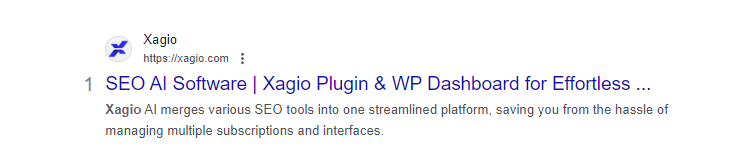
The main reason you need to optimize the title tag for each web page is that Google analyzes it as a key ranking factor.
But, the title tag also provides an opportunity for improved click-through rates.
With the right level of creativity, you can make your title tag stand out in the search results and give potential visitors a clear reason to choose your page over the others.
2. H1 Tag
The H1 tag is the main heading visitors see at the top of your web page.
It appears in large, bold text and helps both readers and search engines understand the primary topic of the page, making it an important ranking factor.
From an SEO perspective, your H1 should usually include the main keyword you want the page to target, preferably in a natural way near the beginning.
That does not mean stuffing the heading with every variation you can think of.
The best H1 tags are clear, specific, and written for real people first. They confirm that the visitor has landed on the right page and give them a reason to keep reading.
Compared to the SEO title tag, the H1 gives you a little more room to expand the idea and make the page feel more compelling.
For example, a title tag might be short and search-focused, while the H1 can add more context, curiosity, or benefit for the reader.
That balance matters because your H1 is one of the first things people see when the page loads.
If it feels vague, over-optimized, or disconnected from what they searched for, they are much more likely to leave before reading the rest of the page.
3. Meta Description Tag
The meta description tag is the short summary that can appear underneath your SEO title in Google’s search results.
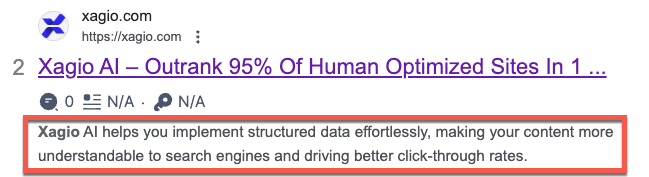
It gives searchers a quick preview of what your page is about and helps them decide whether your result is worth clicking.
Unlike the SEO title tag, the meta description is not a direct ranking factor.
But it still plays an important role in SEO because it can influence your click-through rate from the search results.
That matters because your title tag and meta description are often the first interaction someone has with your content.
A strong meta description should clearly explain the benefit of the page, match the search intent, and give the reader a reason to click.
Avoid stuffing it with keywords or writing something generic like “Learn more about our services.”
Instead, treat it like search-result copy.
The goal is to make your page feel more relevant, useful, and click-worthy than the other results around it.
4. Schema Markup
Schema markup is structured data that helps search engines understand the content on your pages in more detail.
It is not a traditional meta tag like the SEO title or meta description, but it plays a similar supporting role in search engine optimization because it gives Google clearer information about what your page contains.
For example, there are schema types for local businesses, products, reviews, restaurants, articles, FAQs, videos, and many other types of content.
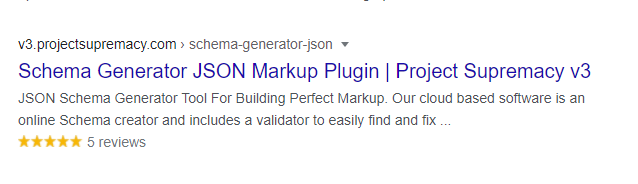
When schema markup is implemented correctly, it can help your pages qualify for rich results in Google.
These are enhanced search results that can include visual elements like star ratings, FAQ drop-downs, product details, breadcrumbs, or other extra information.
That extra visibility can make your listing stand out in the search results and improve your click-through rate, even if your rankings stay the same.
The most important thing is to use schema that accurately matches the content on the page.
Adding irrelevant or misleading structured data will not help your SEO, and it can prevent your page from qualifying for rich results.
5. Image Alt Attributes
Image alt attributes are short text descriptions added to images in your page’s HTML.
Their original purpose is accessibility, helping screen readers describe an image to someone who cannot see it.
They also give search engines more context about what the image shows and how it relates to the content around it.
That makes alt attributes useful for image SEO, especially on pages where visuals support the main topic.
The key is to describe the image naturally rather than forcing keywords into every image.
For example, if you are doing local SEO for a plumbing company in San Diego, an image of a technician repairing a sink could use alt text like “plumber repairing a kitchen sink in San Diego.”
That gives search engines useful context without turning the image alt attribute into a keyword-stuffing shortcut.
Good alt text should be specific, accurate, and helpful.
If the image is purely decorative, it usually does not need keyword-focused alt text at all.
6. Meta Robots Tag
The meta robots tag tells search engines how they should crawl and index a specific page.
For most pages on your website, the default setting should be index, follow, which allows search engines to add the page to their index and follow the links on it.
But there are times when you may not want a page to appear in Google search results.
For example, you might noindex thank-you pages, internal landing pages, thin onboarding pages, duplicate content, or temporary campaign pages that were never meant to rank organically.
Setting the meta robots tag to noindex tells search engines not to include that page in the search index.
The follow instruction allows search engines to keep following links on the page, even if the page itself should not rank.
This is useful because it lets you remove low-value pages from search results without cutting off the links those pages contain.
You do need to be careful with this tag.
Adding noindex to the wrong page can remove important content from Google, so it is worth checking your settings before publishing or updating key pages.
How Does Xagio Help Manage These Meta Tags?
Updating and optimizing your site’s meta tags is a very manual process. Even with different available plugins, you’ll end up having to do all the work on a page-by-page basis.
Personally, I think it’s one of the most mind-numbing things to do, especially when you’re working on dozens or hundreds of pages to update.
And that’s exactly where Xagio will provide you with the AI-powered automation needed to make this a fast process with consistent SEO results.
Let me show you exactly how Xagio will make your life easier.
On-Page Optimization
One of the single most powerful and valuable features of Xagio AI is the ability to automate your on-page meta tag optimization.
Here’s how it works.
Once you’ve installed the Xagio plugin on your site, you can go to the Project Planner and import all your keywords and rankings.
This feature creates a list of all the pages and keywords conveniently clustered into groups. You can then get information about competition, CPC, and search volume so that you can better figure out what keywords to target.
You can then click the “Optimize with AI” button, select your main keyword, and let Xagio create five recommendations for the Title, H1, and meta description tags.
This happens in less than 10 seconds, and you can then either choose the one you like best or make some modifications to them.
Once you hit save, the H1, Title, and meta description will be saved to the page.
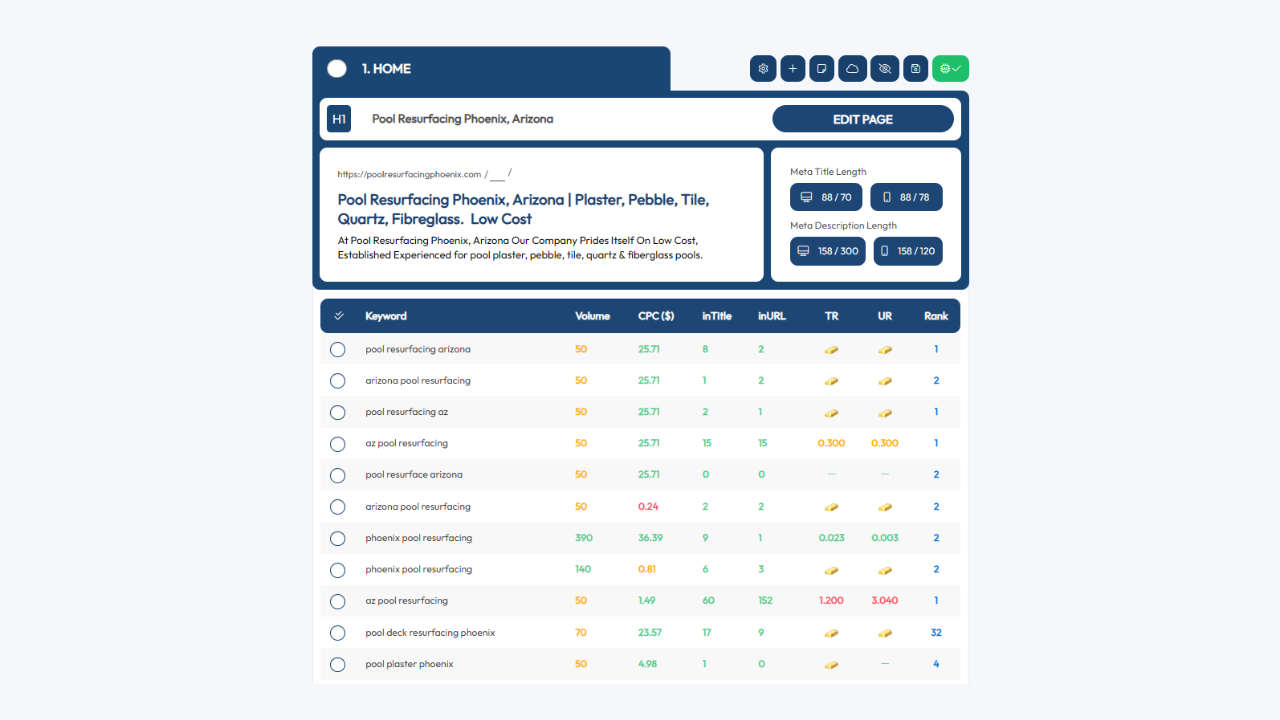
That’s right.
No further copying and pasting in the WordPress page editor to optimize your site.
You can literally have a hundred pages optimized in an hour rather than spending over a week on this mind-numbing task.
What about if you’re starting a new website project?
Xagio will handle that, too.
You can use the AI Wizard or Audit feature to get your competitor keywords and cluster them into groups that you can then set up as your pages.
Check out our blog post on finding competitor keywords for more details on this process.
Using the premium Audit and AI Wizard features will require XAGS in your account, and you can learn more about how to top up your account in our introduction section.
Schema Automation
Schema markup incorporates important meta tags, but many people feel like they don’t have the technical skills or time to ensure that they add the right schema type to every single page.
And I get it.
Even with the right technical skills, creating and adding schema HTML meta tags is a slow and boring process.
With Xagio, that’s not an issue, as you can automate most of the work.
If you like having full control over the content of your schema, then you can use Xagio’s Schema editor.
However, if you want to make things extremely easy and fast, then the “Duplicate” feature is going to be a game-changer.
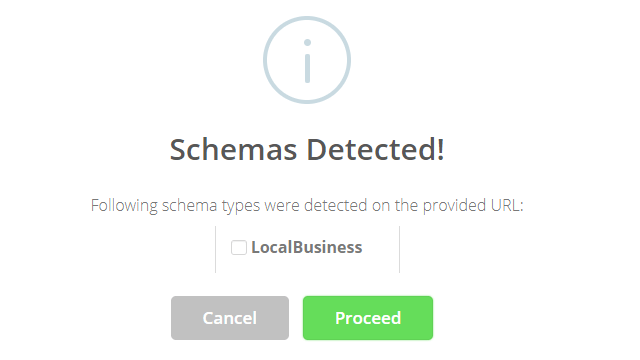
Simply find the top-ranking competitor page in the SERPs, copy the URL, and let Xagio recreate it. Then, adjust a few data points to be relevant to your site, and you’re ready to add the schema to your web page.
It’ll take less than 30 seconds to have a fully optimized schema; all you need to do then is select it for the page in question.
You won’t find an easier and faster way to get this done with little or no technical skills.
Manage Meta Robots Tags For Search Engines
Next up, I’ll show you how you can quickly and easily update the robots meta tags for each of your pages.
Start by opening the page or post editor and navigate to the Xagio plugin at the bottom. Click on the Robots section, and you’ll see that you can easily adjust these settings as needed.
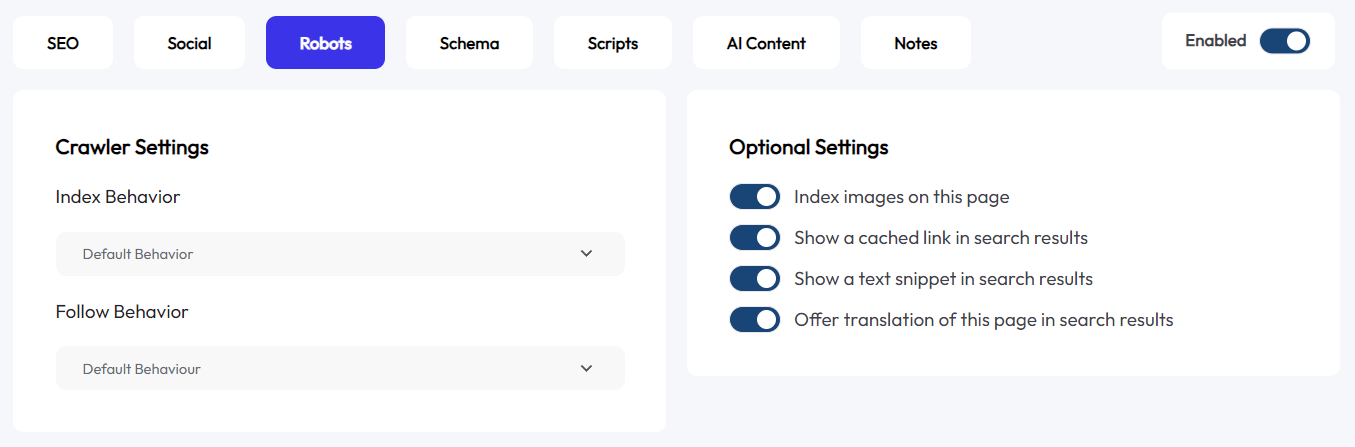
With the click of a menu, you have full control over the index and follow behavior for every single page.
Start Meta Tag Automation With Xagio
Staying on top of optimizing your meta tags is one of the best investments you can make for your website.
Search engine crawlers use these tags directly for ranking factors, meaning that you just can’t afford to not prioritize this work.
With Xagio, you’ll be able to optimize an entire website with hundreds of pages in less than an hour. That’s a fraction of the time it would take to do the same using a manual process.
Sign up for a Xagio account and see how quickly you can optimize and manage everything from your H1 to meta description tags and schema markup.
This is going to be one tool you won’t want to live without.